M-PRINT Model 2.0

Production of dental models

M-PRINT Model 2.0

Production of dental models

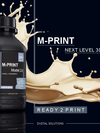
3D printing resin for the production of very precise, true-to-detail master, stump and / or functional models with finest and smooth surface structure

  • Without fillers and pigments
  • free from TPO
  • Ready 2 Print - No need to shake it up
  • Designed for tray-based photopolymerisation at 385 - 405 nm

Characteristics

  • Highly dimensionally stable, precisely grindable
  • High construction precision – for an excellent fit of the model stumps
  • Maximum thermal stability*
  • High strength and edge stability
  • Brilliant image sharpness
  • Now also optimised for LCD printers
  • Elegant appearance – ideal for display and delivery models

Material properties

Property Value Test Method
Acrylate mixture
Viscosity 1250 ± 150 mPa·s ISO 3219 (23 °C, 5 - 100 s-1)
End product
Flexural strength 128 ± 5 MPa ISO 178
Modulus of elasticity 3200 ± 200 MPa ISO 178

* Comparison across all M-PRINT model variants
 

3D Printers

M-PRINT 3D printing liquids are generally compatible with DLP printers operating at a wavelength of 385 nm and, to some extent, with LCD printers operating at 405 nm. Print parameters are available for the following printers:


rapidshape

  • D20+ 
  • D30+ 
  • D50+

The material parameters are pre-installed and/or available in the printer manufacturer's material library. (Visit rapidshape for more information.)

Asiga

  • Pico
  • MAX
  • PRO
  • PRO 4K
  • Ultra
  • Max 2

Material parameters are pre-installed and/or can be found in the printer manufacturer’s material library. (Visit Asiga for further information)

Straumann

  • PRO20
  • P30+
  • P50+

The material parameters are pre-installed and/or available in the printer manufacturer's material library.

SHERA

  • SHERAprint 20 pro
  • SHERAprint 30
  • SHERAprint 50

The material parameters are pre-installed and/or available in the printer manufacturer's material library.

DMG

  • DentaMile Desk RS-5
  • 3Delite

The material parameters are pre-installed and/or available in the printer manufacturer's material library.

Carima

  • IMD

Material parameters are pre-installed and/or can be found in the printer manufacturer’s material library. 

Anycubic

  • Photon Mono M7Pro

Recommendations for print parameters can be found in the downloads section of the relevant product page.

Elegoo

  • Saturn 3 ultra
  • Mars 4 ultra

Recommendations for print parameters can be found in the downloads section of the relevant product page.

Phrozen

  • 8K Mini

Recommendations for print parameters can be found in the downloads section of the relevant product page.

Creality

  • HALOT-X1

Recommendations for print parameters can be found in the downloads section of the relevant product page.

The users themselves are responsible for the proper use of the liquid and the use of the final product. Merz Dental assumes no liability and / or guarantee for the use of components that are not part of the system and / or for components that have not been tested and for incorrect results, as the manufacturer has no influence on processing. 


Applications

  • Models
  • Model stumps
  • Models for the thermoforming technique
  • Highly precise, highly detailed master, die and/or functional models with an extremely fine and smooth surface texture
Prozess step Time required (min)
1 Allow the design still in the printer after the printing process has been completed to drip off. 10
2 Remove construction platform, remove design and carefully cut off supports. 5
3 Clean the design in a closed container with cleaning fluid (propan-2-ol; isopropanol ≥ 99%), such as M-PRINT Wash, for 5 minutes in an ultrasonic bath. Note: Do not heat the design in the cleaning solution and do not leave it in the solution for a long period. 5
4 Use a pair of tweezers to remove the printed part from the cleaning fluid, blow it off with compressed air if necessary, and let it dry. Recommendation: Dry the design in an oven at 40 °C Note: Residues of the alcoholic cleaning fluid on the surface lead to a softer and sometimes scratch-sensitive surface after post-curing. 30
5 Post-curing of the design in the Otoflash G171 light curing device with 2 x 3500 flashes - turn the design between the two cycles. Recommendation: Use the nitrogen (protective gas) function, as this minimises oxygen inhibition and thus leads to improved surface and material properties. Observe the manufacturer's specifications for the device. 12
6 Manual post-processing, e.g. cleaning of the supports and polishing with commercially available rotating instruments for plastic processing. Note: To prevent inaccurate fitting after polymerisation, avoid excessive heat development during finishing and polishing. Depending on the design

Range

500 g and 1,000 g bottle

Colour:

  • deep-black

Designed for the tray-based photopolymerisation at a wavelength of 385–405 nm